





Limitless Potential of Data Ops and AI
Introduction

Traditional DataOps challenges
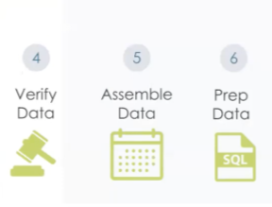
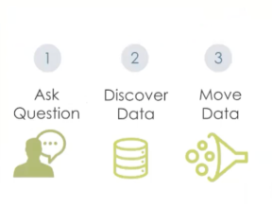
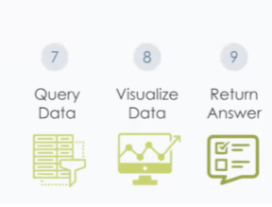
Inspironlabs, AI-Led DataOps Framework
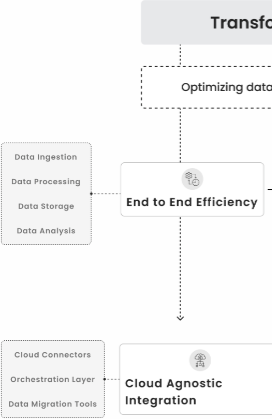
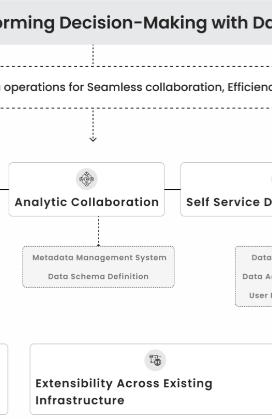
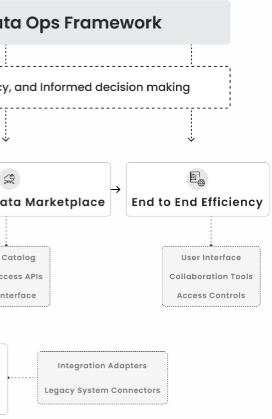
Our Services enabling you to take informed decisions at early stages
We efficiently manage testing environments with our AI enabled tools, enabling create, duplicate, and isolate sandbox environments for testing and validation. This ensure production environment stability during development and testing.
What makes us more reliable in DataOPs
Limitless Potential of Data Ops & AI with InspironLabs!
Author’s Profile

Sindhu Shree • 26 August, 2026
Choosing the Right Deployment Strategy: How Teams Release Safely on Kubernetes
Shipping fast is not the hard part anymore. Shipping without breaking what customers already depend on is.
For teams running production workloads on Kubernetes, the way an application is deployed can be just as important as what is being deployed. The right Kubernetes deployment strategy helps teams control release risk, limit customer impact, and recover quickly when something goes wrong.
The Problem: Releases Are Risky by Default
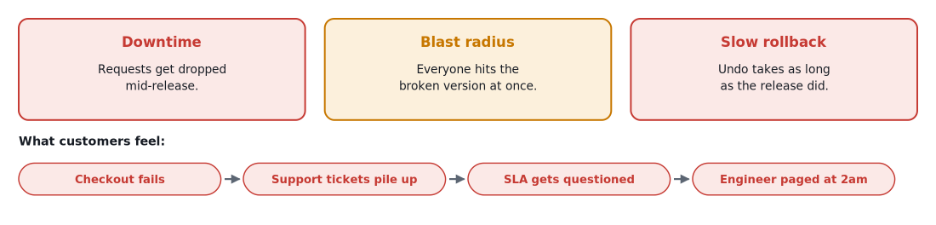
- Downtime.
A careless release drops requests that were already in progress.
- Blast radius.
By default, every customer lands on the new version at once.
- Slow rollback.
Undoing a release usually means running another full release.
Kubernetes handles the mechanics of a release. It does not manage the risk.
The Solution: A Deployment Strategy
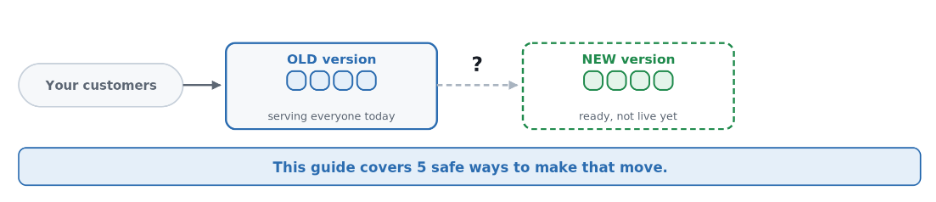
- What it is: the plan for moving customers from the old version to the new one — how fast, how many at a time, and what to do if it breaks.
- Who this is for: product, engineering, platform and operations — not only the people running the servers.
- What this article covers: the five main strategies on Kubernetes, in plain terms, with diagrams for each.
Quick definitions:
A pod is a running copy of your app. Replicas are the number of copies you keep running. A Service acts as the front door, routing users to whichever copies are live. Each strategy below is a different way of moving that front door from the old version to the new one.
Three Questions Every Release Must Answer
- Downtime.
Will customers see errors while we switch?
- Blast radius.
If it breaks, how many customers are affected?
- Slow rollback.
How fast can we go back?
Every strategy below answers those three questions differently.
1. Rolling update
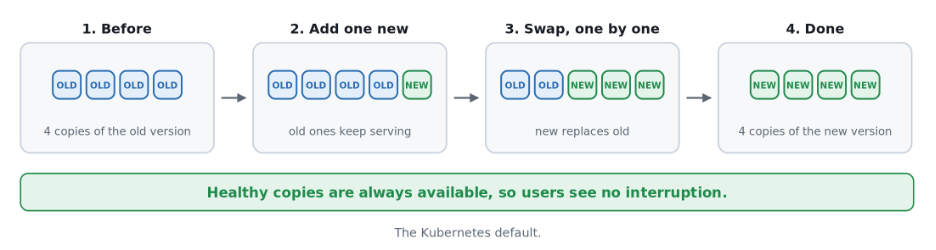
- What it is: old copies are swapped for new ones, a few at a time. Kubernetes does this by default.
- Trade-offs: no downtime if set up right, but blast radius is total, and undo means another full rollout.
- Use it when: almost always. This should be your default.
- Watch out: it is only truly zero-downtime if the app shuts down politely. Add a short pause before stopping, so it does not drop requests mid-swap.
The whole thing, in one place:
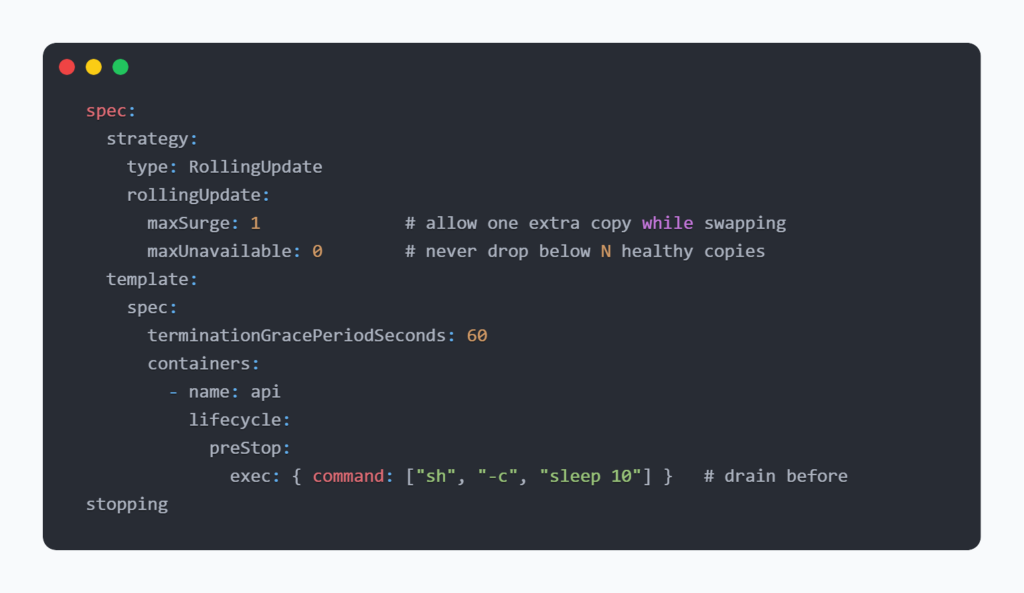
To undo a release: kubectl rollout undo deployment/<name>.
2. Recreate
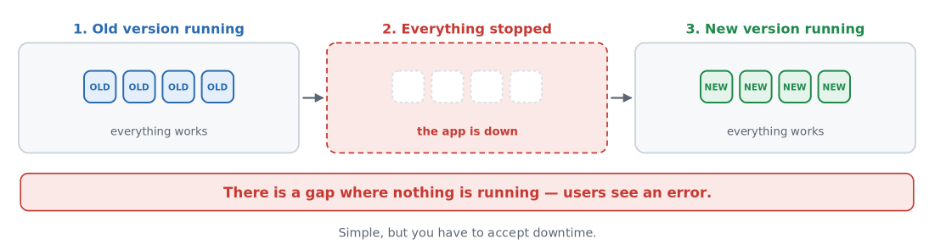
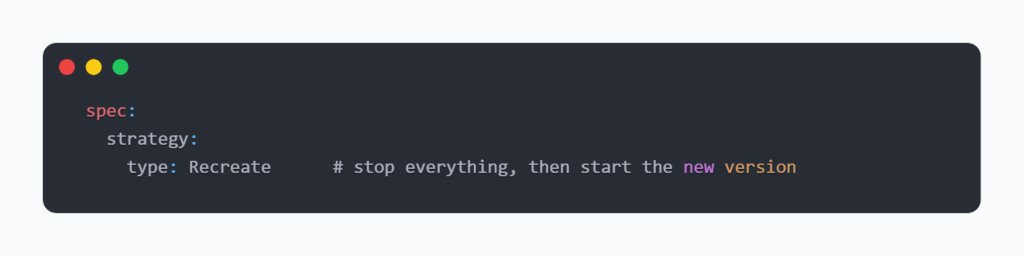
- What it is: every old copy is stopped first. Only then does the new one start — downtime on purpose.
- Trade-offs: downtime for as long as the restart takes, but it is the simplest, most predictable option here.
- Use it when: storage that only one copy can use forces you to. A rolling update would get stuck waiting for the old copy to let go.
- Watch out: treat it as planned maintenance — schedule it, announce it, show a maintenance page.
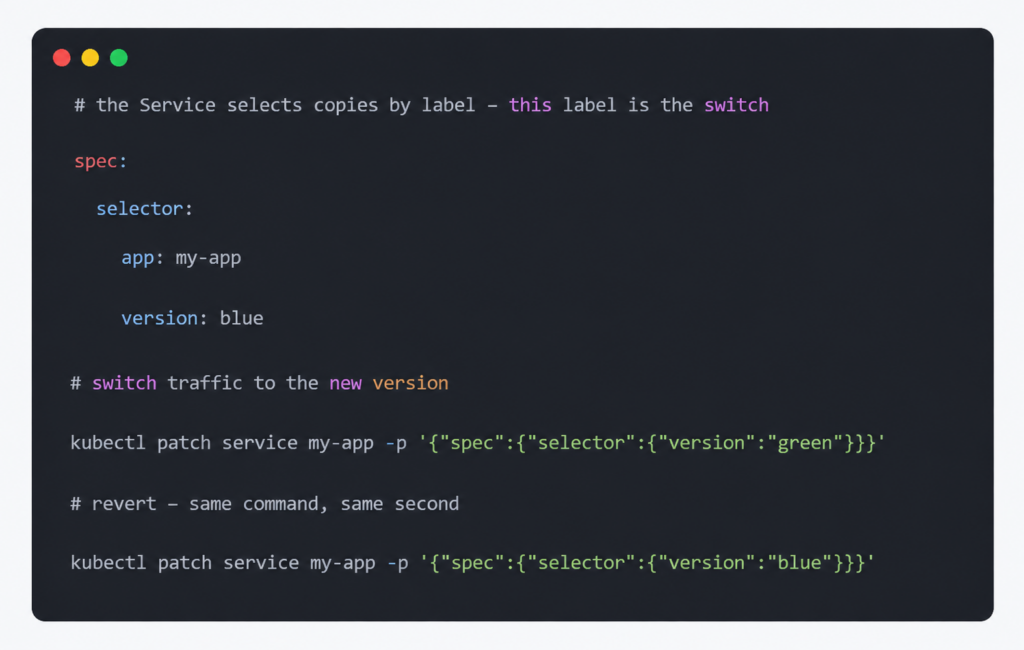
3. Blue-Green
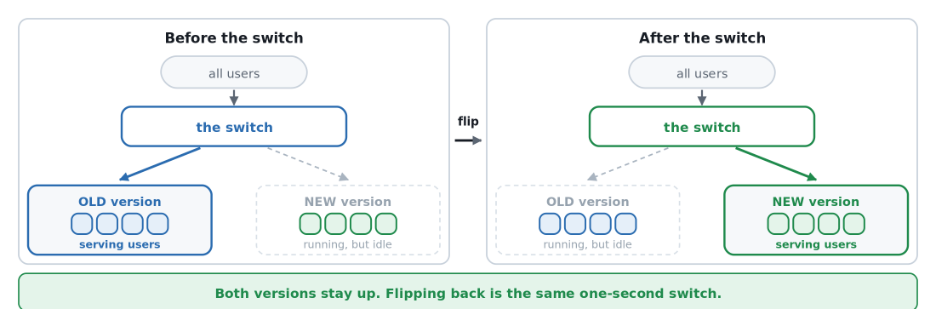
- What it is: two full versions run side by side. One flip switches all traffic — like moving a sign between two identical shops.
- Trade-offs: the fastest possible undo — seconds, not a redeploy — but double the infrastructure while both run, and blast radius stays total.
- Use it when: getting back to normal fast matters most: payments, regulated systems, strict uptime promises.
- Watch out: sessions stored in app memory get wiped on switch. Move them to shared storage first.
4. Canary
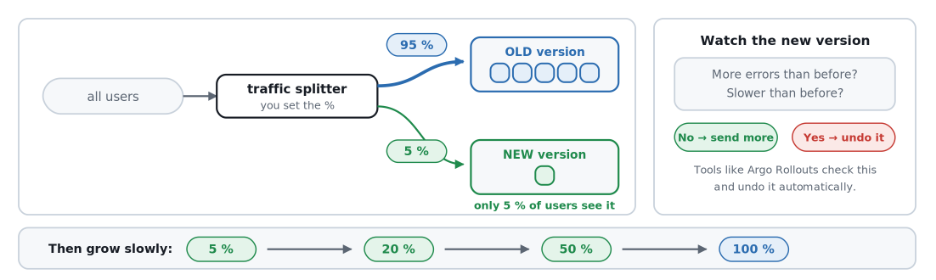
- What it is: a small slice of real users see the new version first, and it only gets more traffic if the numbers hold up.
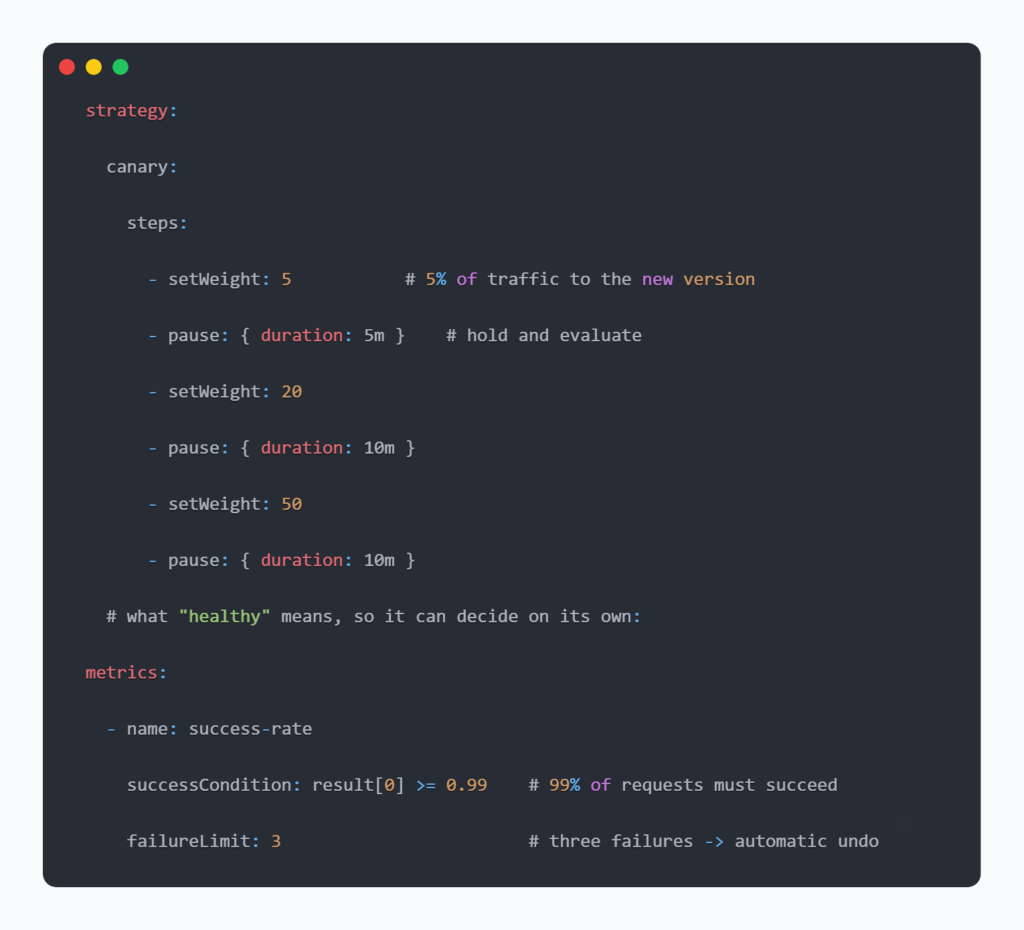
- Trade-offs: the only strategy here that limits blast radius. Undo is fast and can be automatic — but it needs traffic-splitting tools and metrics you trust.
- Use it when: high-traffic, customer-facing services, where a bad release costs real money, reputation, or compliance risk.
- Watch out: it needs volume. Five per cent of fifty requests an hour is not enough signal — use blue-green instead on quiet services.
Tools like Argo Rollouts automate this:
5. Shadow
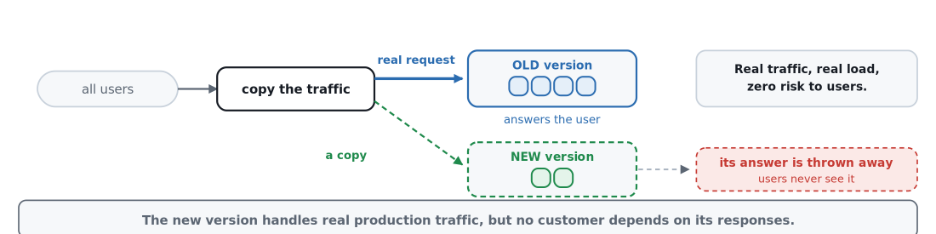
- What it is: a copy of live traffic goes to the new version, and its answers are thrown away. Customers never see them.
- Trade-offs: zero customer risk and nothing to roll back — but extra servers to run, and real setup work.
- Use it when: testing a big rewrite or a performance fix against real traffic, before anyone depends on the result.
- Watch out: a copied request is still real. If it charges a card or writes to a database, it will do that twice — isolate those first.
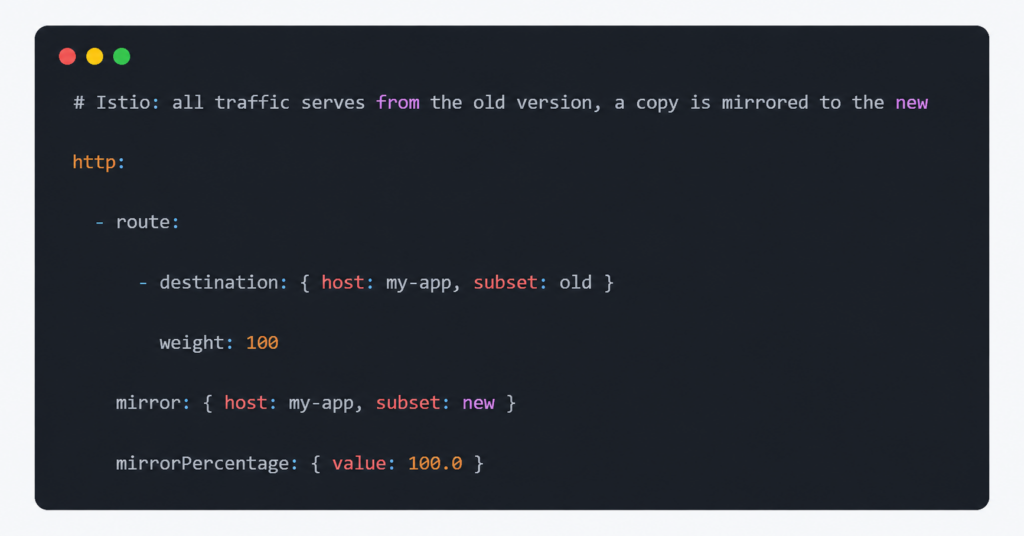
A/B testing, briefly:
It looks like canary, but answers a different question. Canary asks if a version is broken. A/B asks which one customers prefer — a business experiment, usually better served by a feature-flag tool than by traffic routing.
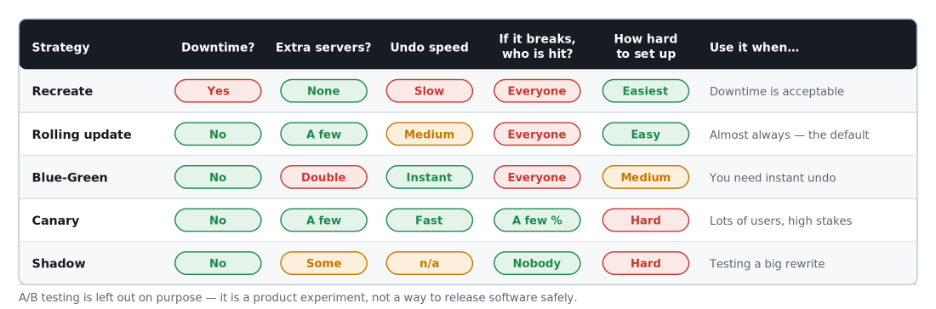
The Five Strategies Side by Side
Here is how the five compare on downtime, blast radius, undo speed, and cost.
Six Basics that Matter More than The Strategy
- Tell Kubernetes honestly when you are ready. Otherwise, it sends customers to an app that is still starting up.
- Never let a restart check depend on another system. One database hiccup can restart every copy at once.
- Give copies time to finish their work before shutting down — the single most common gap in a “zero-downtime” setup.
- Set a PodDisruptionBudget, so routine maintenance cannot take down too many copies at once.
- Use fixed version tags, never one that keeps changing — you cannot roll back to a moving target.
- Make database changes work with both versions at once, old and new, never in a single step.
Which Strategy Should You Use?
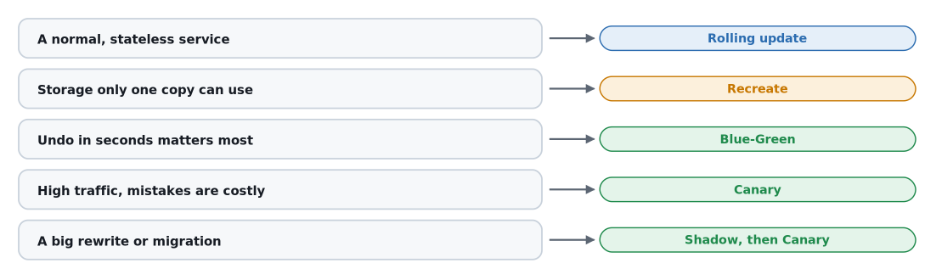
The deployment strategy you choose ultimately affects more than the engineering workflow. It influences customer experience, recovery time, operational workload, and how confidently teams can release changes into production. When releases are designed to fail safely, teams can spend less time managing incidents and more time delivering improvements.
What This Means for The Business
- Fewer broken releases reach customers — canary and shadow catch problems early.
- Faster recovery — blue-green turns a rollback into a switch, not a redeploy.
- Less on-call noise — automatic checks can undo a bad release with nobody paged.
- Easier uptime commitments — once releases stop being a routine cause of outages.
- More confidence to ship often — which is what continuous delivery depends on.
Releasing safely is not a tax on speed. It is what lets you keep that speed up over time.
Where This Matters Most
- SaaS products that release daily, not quarterly.
- High-traffic APIs where a short failure hits thousands of requests.
- Regulated or high-stakes systems in finance, healthcare and payments.
- Teams moving from fixed release windows to shipping on demand.
Conclusion
- Rolling update covers most workloads — make it the default.
- Blue-green buys near-instant recovery, at double the infrastructure.
- Canary is the only one that limits how many customers see a bad release.
- Shadow removes customer risk entirely while testing a rewrite.
Most release failures are not strategy mistakes. They are readiness, shutdown, and migration mistakes — fixable long before the strategy matters.
Ready to Make Your Releases Safer?
The right Kubernetes deployment strategy can help reduce failed releases, accelerate recovery, and give your teams greater confidence to ship more often.
Talk to InspironLabs about building safer, more resilient Kubernetes and release engineering practices for your applications.
👉 Explore how we can help: https://inspironlabs.com/contact-us/